Registering
iNetGrowX
The ActiveX componenet iNetGrowX
is a file named iNetGrowX.ocx. An
“OCX” file is just like a DLL.
However, it must be registered with the operating system. Save the file iNetGrow.ocx on the
server PC. You may download iNetGrowX.ocx
from the iNetGrow web site by clicking here.
Typically, ActiveX componenets
are registered using the DOS utility “regsvr32.” Here are the steps:
1. Use the Windows Start button and
click on the menu item “Run.” Type
“cmd” and return to open a DOS box.
The following steps are performed in the DOS box.
2. Change the drive to that where
iNetGrowX.ocx is saved. Suppose
iNetGrowX.ocx is in e:\Program Files\iNetGrow. Type “e:\” to change the drive. Then type “cd\Program Files\iNetGrow” to change the
directory.
3.
In the DOS box, type “regsrv32 iNetGrowX.ocx”.
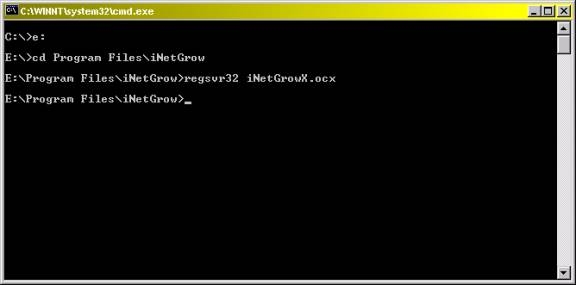
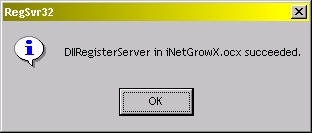
Newer Windows operating systems
respond by a message box, as shown below.
Also see iNetGrowX
and Active Service Pages with iNetGrowX.

© Rigel Corporation iNetGrow 2003-2006. All rights reserved.